

Thursday, March 19, 2026
Home Blog Page 96

Web Development with GraphQL: An Introduction

0

GraphQL is a popular open-source query language and runtime for APIs that was developed by Facebook. It was first released in 2015 and has gained popularity in the web development community due to its flexible and efficient nature. In this article, we will introduce you to GraphQL and how it is used in web development.

Contents

What is GraphQL?

GraphQL is a query language that allows you to interact with APIs in a more efficient and flexible way. It provides a more organized, efficient, and powerful alternative to REST APIs, which are currently the most commonly used method for building APIs.

In REST APIs, web development often need to make multiple requests to the server to fetch the required data, and the server responds with a fixed set of data. With GraphQL, developers can specify exactly what data they need, and the server will respond with only that data. This means that developers can get all the required data with just one request, which makes it more efficient.

GraphQL can be used in a variety of programming languages, including JavaScript, Ruby, Python, and others. It is not tied to any specific database or storage system, and can be used with any backend technology.
GraphQL

How GraphQL Works

In GraphQL, the client specifies what data it needs, and the server responds with the requested data. This is done using a GraphQL schema, which defines the types of data available and the queries that can be made.

The schema is created by the server, and it defines the types of data available, including objects, lists, and scalars. The schema also defines the queries that can be made, and each query has its own resolver function that retrieves the requested data from the server.

When a client sends a query to the server, the server validates the query against the schema and then executes it. The server then sends the requested data back to the client in the form of a JSON object.

Benefits of GraphQL in Web Development

There are several benefits of using GraphQL in web development, including:

  1. Efficient Data Retrieval: With GraphQL, developers can retrieve only the data that is required, which makes it more efficient than REST APIs. This also reduces the amount of data transferred over the network.
  2. Flexible Data Structure: GraphQL provides a flexible data structure that can be customized based on the requirements of the application. This makes it easier to make changes to the data structure without affecting the client-side code.
  3. Better Client-Server Communication: GraphQL provides a more efficient way for the client and server to communicate with each other. This is because the client specifies exactly what data it needs, and the server responds with only that data.
  4. Reduced Overfetching and Underfetching: With REST APIs, web development often fetch too much data or too little data, which can lead to overfetching or underfetching. With GraphQL, developers can specify exactly what data they need, which reduces the chances of overfetching or underfetching.

Getting Started with GraphQL

To get started with GraphQL, you will need to learn the GraphQL syntax and how to create a schema. Here are the basic steps to create a GraphQL API:

  1. Define a Schema: The first step is to define a schema that specifies the types of data available and the queries that can be made.
  2. Write Resolver Functions: Each query in the schema needs a corresponding resolver function that retrieves the requested data from the server.
  3. Implement the GraphQL API: Once you have defined the schema and written the resolver functions, you can implement the GraphQL API using a server-side framework such as Node.js or Ruby on Rails.
  4. Use the API on the Client: Once the API is up and running, you can use it on the client-side to retrieve data from the server.


How to Secure Your Website: Best Practices for Web Development

0

In today’s digital age, websites are a crucial part of every business. However, with the rise of cyber attacks, securing your website is of utmost importance. Website security is not only about protecting your data but also about safeguarding the data of your users. As a website owner, you have a responsibility to ensure that your secure your website. In this article, we will discuss the best practices for web development to help you secure your website.

Contents

Use SSL Certificates

SSL certificates are essential for any website that collects sensitive information from its users. An SSL certificate encrypts data that is transmitted between the user’s browser and the webserver. This encryption ensures that any sensitive information like passwords, credit card numbers, or personal information cannot be intercepted by a third party. Installing an SSL certificate on your website is a must-have for secure your website.

Secure Your Website

Keep Software Updated

Keeping your website’s software up-to-date is one of the most critical security practices. Hackers are always searching for vulnerabilities in outdated software to exploit. Regular updates not only fix known vulnerabilities but also improve the website’s overall performance. In addition to your website’s software, make sure your server software is also up-to-date.

Use Strong Passwords

Using strong passwords is a simple but effective way to secure your website. Weak passwords are easy to guess or crack, making your website vulnerable to attacks. Always use a combination of upper and lowercase letters, numbers, and special characters in your passwords. Moreover, avoid using the same password for different accounts.

Use Two-Factor Authentication

Two-factor authentication (2FA) is an additional layer of security that requires users to provide two forms of authentication to log in. The first form of authentication is a username and password, and the second form can be a fingerprint, face recognition, or a code generated by an authentication app. 2FA helps to prevent unauthorized access to your website.

Limit Login Attempts

Limiting login attempts is another way to secure your website. Hackers often use brute force attacks, where they try different username and password combinations until they gain access to your website. By limiting login attempts, you can prevent these types of attacks.

Backup Your Website Regularly

Backups are a lifesaver in case of a website attack or crash. Regular backups ensure that you can quickly restore your website to its previous state. Make sure you store backups in a secure location and test the restoration process to ensure the backups are valid.

Use a Web Application Firewall

A web application firewall (WAF) is a security solution that protects your website from a variety of attacks. A WAF inspects incoming traffic and filters out any malicious traffic, ensuring that only legitimate traffic is allowed to access your website. Implementing a WAF is a great way to protect your website from common web-based attacks.

Secure Your Hosting Environment

Your hosting environment is an essential aspect of secure your website. Ensure that your hosting provider implements security measures like firewalls, intrusion detection, and malware scanning. Additionally, avoid shared hosting and instead opt for a dedicated server or virtual private server (VPS).

Conclusion

Secure your website should be a top priority for every website owner. By following these best practices, you can significantly reduce the risk of cyber attacks and ensure that your website is secure. Remember to keep your website’s software updated, use SSL certificates, strong passwords, and two-factor authentication. Limit login attempts, backup your website regularly, use a web application firewall, and secure your hosting environment. By implementing these best practices, you can significantly enhance your website’s security.

The Future of Web Development: AI and Machine Learning

1

In the world of web development, new technologies are constantly emerging and changing the way we build websites and applications. Among these new technologies, artificial intelligence (AI) and machine learning are taking the forefront and transforming the way we create and manage web projects. In this article, we will explore the impact of AI and machine learning on web development and the ways in which they will shape the future of this industry.

Contents

What is Artificial Intelligence (AI)?

Artificial Intelligence (AI) is a field of computer science that focuses on creating intelligent machines that can perform tasks that would typically require human intelligence, such as problem-solving, learning, decision making, and language understanding. AI is based on the idea that machines can learn from experience and improve their performance over time.

10 Best Web Development Software for Web Developers | by Geetika Kaushik |  JavaScript in Plain English

AI in Web Development

AI is transforming web development by allowing developers to create more intelligent, personalized, and user-friendly websites and applications. Here are some of the ways AI is changing the game in web development:

  1. Chatbots: AI-powered chatbots are becoming increasingly popular in web development as they can provide instant responses to user queries, enhance user engagement, and provide a personalized experience.
  2. Personalization: AI algorithms can analyze user data and provide personalized content and recommendations based on their preferences and behavior.
  3. Image and Voice Recognition: AI algorithms can analyze images and recognize faces, objects, and scenes, which can enhance the user experience in various applications. In addition, AI-powered voice recognition technology is becoming increasingly popular in web development, allowing users to interact with websites and applications using voice commands.
  4. Predictive Analytics: AI-powered predictive analytics can analyze large sets of data and provide insights into user behavior, which can be used to improve website and application performance and provide a better user experience.

Machine Learning in Web Development

Machine learning is a subfield of AI that focuses on creating algorithms that can learn from data and improve their performance over time. In web development, machine learning is used to build intelligent systems that can automatically learn and improve from user interactions. Here are some of the ways machine learning is transforming web development:

  1. Content Management: Machine learning algorithms can analyze user data and automatically generate content that is tailored to their preferences and behavior.
  2. Fraud Detection: Machine learning algorithms can detect fraudulent activity in real-time and prevent unauthorized access to websites and applications.
  3. Search Engine Optimization (SEO): Machine learning algorithms can analyze website data and improve search engine rankings by optimizing content, keywords, and other SEO factors.

The Future of Web Development with AI and Machine Learning

As AI and machine learning continue to advance, they will have an even more significant impact on the future of web development. Here are some of the ways in which we can expect to see these technologies shape the industry:

  1. Increased Personalization: AI algorithms will continue to analyze user data and provide personalized content and recommendations, enhancing the user experience and engagement.
  2. Improved SEO: Machine learning algorithms will become even more sophisticated and improve search engine rankings by optimizing content, keywords, and other SEO factors.
  3. Advanced User Interface: AI-powered systems will enable more intuitive and natural interactions between users and websites and applications.
  4. Enhanced Security: AI and machine learning algorithms will continue to improve security measures by detecting and preventing fraud and unauthorized access to websites and applications.

Conclusion

AI and machine learning are transforming the web development industry, providing developers with new tools and techniques to create more intelligent, personalized, and user-friendly websites and applications. As these technologies continue to advance, we can expect to see even more significant changes in the industry, and it is essential for web developers to stay up-to-date with the latest trends and technologies to remain competitive in the market.

Building Scalable Web Applications with Microservices

0

In the world of web development, building scalable web applications is essential to ensure that a website can handle increasing traffic and user demands. Microservices have emerged as a popular architectural approach to building scalable web applications. In this article, we will explore what microservices are, how they work, and the benefits they offer for building scalable web applications.

Contents

What are Microservices?

Microservices are an architectural approach to building web applications that involve breaking down a large application into smaller, independent services that can work together to provide the overall functionality of the application. Each microservice is responsible for performing a specific task or set of tasks, and communicates with other microservices using well-defined APIs.

What is the Difference Between a Website and a Web Application?

How Do Microservices Work?

Each microservice in a web applications is designed to be highly specialized and independent of other microservices. This means that each microservice can be developed, deployed, and scaled independently of other microservices, which makes it much easier to manage and maintain a large web applications.

When a user requests a specific functionality from a web applications, the request is routed to the appropriate microservice, which handles the request and returns the response. This makes it possible to scale specific parts of a web applications without having to scale the entire application, which can be costly and time-consuming.

Benefits of Microservices for Scalable Web Applications

There are several benefits of using microservices to build scalable web applications, including:

Scalability

Microservices make it easy to scale specific parts of a web applications without having to scale the entire application. This means that you can allocate resources where they are needed most, which can save time and money.

Flexibility

Microservices are designed to be highly specialized and independent, which makes it easy to change or replace specific parts of a web applications without affecting the rest of the application. This makes it easier to maintain and update a web applications over time.

Resilience

Because each microservice in a web applications is independent, if one microservice fails, it does not bring down the entire application. This makes web applications built with microservices more resilient and less prone to downtime.

Faster Development and Deployment

Microservices can be developed, deployed, and scaled independently of other microservices, which makes it easier to manage and maintain a large web applications. This can lead to faster development and deployment times, which can be critical in a fast-paced business environment.

Challenges of Microservices for Scalable Web Applications

While microservices offer many benefits for building scalable web applications, there are also some challenges to consider, including:

Complexity

Microservices can add complexity to a web applications, as there are many independent services that must work together to provide the overall functionality of the application. This can make it more challenging to manage and maintain a web applications built with microservices.

Communication Overhead

Because microservices communicate with each other using well-defined APIs, there is additional overhead involved in the communication between microservices. This can add latency to a web applications, which can impact user experience.

Monitoring and Debugging

Because each microservice in a web applications is independent, monitoring and debugging a web applications built with microservices can be more challenging than monitoring and debugging a monolithic application.

Conclusion

Microservices offer many benefits for building scalable web applications, including scalability, flexibility, resilience, and faster development and deployment times. While there are some challenges to consider when using microservices, the benefits can outweigh the challenges, especially for large web applications with increasing traffic and user demands. If you are considering building a scalable web applications, microservices may be the architectural approach to consider.

Getting Started with Web Development: A Step-by-Step Guide

0

Web development has become an essential skill in the digital era. It is the process of creating and maintaining websites, and it involves different disciplines such as graphic design, coding, and search engine optimization (SEO). If you want to get started with web development, this step-by-step guide will help you.

Contents

Choose a Platform

The first step in web development is to choose a platform to build your website. There are many options available, but the most popular ones are WordPress, Wix, and Shopify. WordPress is a free and open-source content management system (CMS) that is easy to use, and it powers more than 40% of websites on the internet. Wix and Shopify are website builders that offer drag-and-drop interfaces, which means you don’t need to have coding skills to build your website.

Plan Your Website

Once you have chosen a platform, the next step is to plan your website. This includes deciding on the type of website you want to build, the target audience, the content you want to publish, and the website’s design. You can use mind mapping tools such as MindMeister and Coggle to organize your ideas.

Choose a Domain Name

Your website’s domain name is its address on the internet, and it is crucial to choose a name that reflects your brand and is easy to remember. You can use domain name registrars such as GoDaddy and Namecheap to search for and buy domain names.

Set Up Web Hosting

Web hosting is the process of storing your website’s files and making them accessible on the internet. There are many web hosting providers available, such as Bluehost, HostGator, and SiteGround. When choosing a web hosting provider, consider factors such as uptime, speed, security, and customer support.

Install and Configure Your Platform

After you have chosen a platform, planned your website, chosen a domain name, and set up web hosting, the next step is to install and configure your platform. This involves creating a database, installing themes and plugins, and customizing your website’s design and functionality. You can find tutorials and documentation on your platform’s website.

Create Content

Once your website is set up, the next step is to create content. This includes writing copy, creating images and videos, and optimizing your content for SEO. You can use tools such as Grammarly and Hemingway to improve your writing, and tools such as Canva and Adobe Creative Suite to create visuals.

Test Your Website

Before you launch your website, it is essential to test it to ensure that it works correctly and provides a good user experience. This includes checking for broken links, testing your website’s speed, and making sure it is mobile-friendly. You can use tools such as Google PageSpeed Insights and GTmetrix to test your website.

Launch Your Website

After you have tested your website, the final step is to launch it. This involves making it live on the internet, submitting it to search engines, and promoting it on social media and other channels. You can use tools such as Google Search Console and Google Analytics to monitor your website’s performance and make improvements over time.

In conclusion, web development is a complex process that requires different skills and tools. By following this step-by-step guide, you can get started with web development and create a website that reflects your brand and provides value to your audience. Remember to keep learning and experimenting, as the web development industry is constantly evolving. Good luck!

How to Optimize Website Speed for Better User Experience

0

As a website owner, you know how important it is to provide your users with a seamless and enjoyable experience when browsing your site. One of the most important factors that affect user experience is website speed. Slow-loading websites can lead to frustrated users, high bounce rates, and ultimately, lost revenue. In this article, we will discuss how to optimize your website speed to ensure a better user experience.

Test Your Website Speed

The first step to optimizing your website speed is to test it. There are several free online tools that can help you do this, such as Google PageSpeed Insights, GTmetrix, and Pingdom. These tools will analyze your website and provide you with a report on its loading time, as well as recommendations on how to improve it.

Minimize HTTP Requests

HTTP requests are made when a browser requests files from your website’s server. The more requests that are made, the longer it takes for your website to load. You can minimize HTTP requests by reducing the number of files that need to be loaded. This can be done by combining multiple CSS and JavaScript files into one, and by optimizing your images.

Enable Browser Caching

Browser caching is a technique that allows your website to store certain files on a user’s computer. This means that when the user visits your site again, their browser can retrieve these files from their cache instead of requesting them from your server, which can significantly speed up your website. You can enable browser caching by adding code to your website’s .htaccess file or by using a plugin if you are using a content management system like WordPress.

Optimize Your Images

Images can be a major contributor to slow-loading websites. You can optimize your images by compressing them without losing quality. There are several free online tools that can help you do this, such as TinyPNG and JPEGmini. You can also resize your images to the appropriate dimensions before uploading them to your website.

Use a Content Delivery Network (CDN)

A content delivery network (CDN) is a network of servers that are located in different parts of the world. When a user requests a file from your website, the CDN will deliver it from the server that is closest to the user, which can significantly reduce loading times. There are several CDN providers available, such as Cloudflare and Amazon CloudFront.

Reduce Server Response Time

Server response time is the amount of time it takes for your server to respond to a request from a user’s browser. A slow server response time can significantly increase your website’s loading time. You can reduce server response time by upgrading your hosting plan or by optimizing your website’s code.

Use a Lightweight Theme

The theme you use for your website can also have an impact on its loading time. You should choose a lightweight theme that is optimized for speed. You can find many free and premium themes that are optimized for speed on marketplaces like WordPress.org and ThemeForest.

Remove Unnecessary Plugins

Plugins can add a lot of functionality to your website, but they can also slow it down. You should only use plugins that are essential to your website’s functionality and remove any that are unnecessary. You should also make sure that the plugins you use are optimized for speed.

Use a Fast and Reliable Hosting Provider

Your hosting provider plays a major role in your website’s speed and uptime. You should choose a hosting provider that is fast and reliable. You can find many hosting providers that are optimized for speed and provide excellent uptime on marketplaces like Bluehost and SiteGround.

Web Development for E-commerce: Key Features and Considerations

0

In today’s digital age, the e-commerce industry has been growing at an exponential rate. With the increasing number of online shoppers, businesses are looking to establish their online presence to tap into this vast market. As a result, e-commerce websites have become an essential component of any business’s digital strategy.

When it comes to building an e-commerce website, there are several factors that businesses need to consider. From the design to the functionality, each aspect of the website plays a crucial role in its success. In this article, we will discuss some of the key features and considerations that businesses need to keep in mind while developing their e-commerce website.

User Interface and Design

One of the most critical aspects of an e-commerce website is its user interface and design. A well-designed website not only attracts users but also enhances their shopping experience. The website’s design should be visually appealing, user-friendly, and easy to navigate. The website should also be responsive, meaning it should be accessible on different devices, including mobile phones and tablets.

Product Catalog and Management

The product catalog is the heart of any e-commerce website. It is essential to organize the product catalog in a logical and intuitive manner so that users can easily find what they are looking for. Product pages should be detailed and include high-quality images and product descriptions to help users make informed decisions.

Secure Payment Gateway

An e-commerce website’s payment gateway is another critical aspect that needs careful consideration. Users must be able to make secure transactions without any hiccups. The payment gateway should be PCI compliant and provide SSL encryption to ensure that all transactions are secure.

Shopping Cart and Checkout

The shopping cart and checkout process is where users complete their purchases. The shopping cart should be intuitive, allowing users to add or remove items easily. The checkout process should be streamlined and straightforward, with clear instructions and information about the user’s order and shipping details.

Search Engine Optimization

Search Engine Optimization (SEO) is a crucial factor that determines the website’s visibility on search engines. SEO helps the website rank higher on search engines, making it easier for users to find the website. To ensure that your e-commerce website is optimized for search engines, you need to have a well-structured website, relevant content, and high-quality backlinks.

Analytics and Reporting

Analytics and reporting help businesses understand their website’s performance and user behavior. It is essential to track website traffic, sales, and conversion rates to identify areas that need improvement. Analytics also helps businesses make data-driven decisions to enhance the website’s performance and user experience.

Customer Support and Feedback

Providing excellent customer support is crucial for any ecommerce website’s success. The website should have a dedicated customer support team that can assist users with any issues they may face while shopping. The website should also provide users with the option to leave feedback, which helps businesses understand their users’ needs and preferences.

In conclusion, developing an e-commerce website requires careful consideration of several key features and considerations. From the user interface and design to the shopping cart and checkout process, each aspect of the website plays a critical role in its success. By keeping these factors in mind, businesses can develop a well-designed, functional, and user-friendly e-commerce website that meets their users’ needs and preferences.

The Advantages of Using a Headless CMS for Web Development

0

As web development continues to evolve, so does the demand for better content management systems. Traditional content management systems (CMS) have limitations that often slow down development and make it difficult to create dynamic and interactive websites. However, a new breed of CMS has emerged that promises to eliminate these challenges – headless CMS.

In this article, we will explore the advantages of using a headless CMS for web development. We will cover its basic principles, benefits, and best practices.

Contents

What is a Headless CMS?

A headless CMS is a content management system that separates the content management from the presentation layer. In traditional CMS, the frontend (presentation layer) and backend (content management layer) are tightly coupled. This means that the content is created, managed, and presented using a single application.

In contrast, a headless CMS provides only the backend functionality for creating, storing, and delivering content. The content is then made available through an API (Application Programming Interface), which can be consumed by any frontend technology, such as a mobile app, a web app, or a digital kiosk.

Advantages of Using a Headless CMS

Flexibility

A headless CMS offers tremendous flexibility in creating and delivering content. Since the frontend and backend are separated, developers can choose any frontend technology without being limited by the CMS. This allows for the use of the latest frontend technologies, which can enhance the user experience and improve website performance.

Security

Since a headless CMS only exposes its content through an API, it is more secure than a traditional CMS. The API can be secured using various methods such as OAuth 2.0, JSON Web Tokens, or API keys. This makes it much more difficult for hackers to attack the website, as the API is not exposed to the public.

Scalability

A headless CMS is highly scalable since it is designed to work with multiple frontends. The backend can handle a large amount of traffic, and the frontend can be scaled independently without affecting the backend. This allows for seamless handling of traffic spikes and ensures the website remains available even during high traffic periods.

Cost-Effective

A headless CMS is more cost-effective than a traditional CMS. Since it is built to work with any frontend technology, developers can choose to work with the most cost-effective frontend technology that meets their needs. This reduces the overall development cost, and the website can be delivered faster and with higher quality.

Improved Performance

A headless CMS can significantly improve website performance. Since it only delivers content through an API, the website can be built using lightweight frontend technologies, resulting in faster loading times and a smoother user experience. This can result in higher engagement and lower bounce rates.

Best Practices for Using a Headless CMS

Choose the Right Headless CMS

Choosing the right headless CMS is crucial for success. The CMS should provide all the necessary features for content creation, storage, and delivery, as well as the ability to integrate with various frontend technologies. It should also have robust security features and excellent customer support.

Plan Your Frontend

Since the frontend is decoupled from the backend, it is essential to plan the frontend architecture carefully. This involves choosing the right frontend technology, developing an appropriate design system, and implementing a scalable architecture.

Implement a Strong API Security

API security is critical for a headless CMS. Implementing strong security measures such as OAuth 2.0, JSON Web Tokens, or API keys can help prevent unauthorized access and data breaches.

Test and Monitor Performance

Testing and monitoring the performance of a headless CMS is crucial to ensure the website is performing optimally. This involves implementing a testing strategy, monitoring the website for errors, and measuring website performance metrics.

Web Development Best Practices for SEO

1

As experts in web development, we understand the importance of search engine optimization (SEO) for any website. Good SEO practices can make the difference between a website that gets noticed and one that remains invisible to search engines and, more importantly, potential customers.

In this article, we will share with you some of the best practices for web development that can help you to achieve optimal SEO results. By following these tips, you can make your website more attractive to search engines, improve your search engine rankings, and drive more traffic to your website.

Mobile-First Design

Mobile devices account for more than half of all web traffic worldwide, and this trend is expected to continue. That’s why mobile-first design is crucial for any website that wants to succeed in the modern digital landscape. When designing your website, consider the user experience on mobile devices first, and then scale up to desktop devices. Google’s algorithm prioritizes mobile-friendly websites, and a mobile-first approach will help ensure that your website is accessible to all users, regardless of their device.

Page Speed Optimization

Page speed is an essential factor in SEO. Google’s algorithm favors websites that load quickly, and slow-loading websites can negatively impact your search engine rankings. There are several things you can do to optimize your website’s page speed, including minimizing the use of large images and videos, optimizing code and scripts, and leveraging browser caching.

Content Optimization

Quality content is essential for SEO success. When creating content for your website, make sure it is unique, informative, and relevant to your target audience. Use relevant keywords throughout your content, but avoid keyword stuffing, which can negatively impact your search engine rankings. Also, make sure your content is easy to read, scannable, and broken up into smaller paragraphs and sections.

URL Structure

A clean, concise, and relevant URL structure is crucial for SEO. Your website’s URL structure should be simple, easy to understand, and reflective of the content on the page. Avoid long, complex URLs that are difficult to read or understand, and use hyphens to separate words in the URL.

Meta Descriptions

Meta descriptions are HTML tags that provide a brief summary of your web page’s content. They are displayed in search engine results pages (SERPs) and are an essential factor in driving traffic to your website. Make sure your meta descriptions are unique, informative, and include relevant keywords. Aim to keep them between 150-160 characters in length.

Header Tags

Header tags, also known as H1, H2, H3, etc., are HTML tags used to structure the content on a web page. Header tags make it easier for search engines to understand the structure of your content, and they also help readers to scan your content quickly. When using header tags, make sure they are relevant to the content on the page, and include relevant keywords.

Alt Text for Images

Alt text, or alternative text, is used to describe an image on a web page. Alt text is essential for users who are visually impaired, as screen readers can read the alt text aloud. Alt text is also essential for SEO, as search engines can’t read images, so alt text provides a way to understand the context of an image. When writing alt text, make sure it is relevant to the image and includes relevant keywords.

Internal Linking

Internal linking is the practice of linking to other pages on your website. Internal linking helps search engines understand the structure of your website and provides users with additional content to explore.

The Importance of Accessibility in Web Development

1

As web developers, it is our responsibility to create websites that are accessible to all individuals, regardless of their abilities. Accessibility in web development refers to the design and development of websites, tools, and technologies that can be used by people with disabilities. In this article, we will discuss the importance of accessibility in web development and how it can help us reach a wider audience.

What is Web Accessibility?

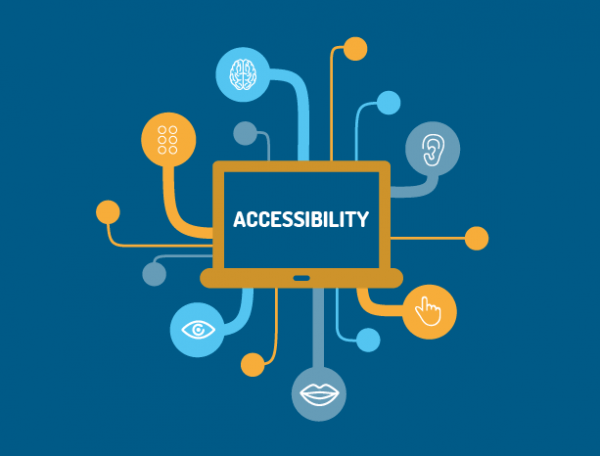
Web accessibility refers to the inclusive practice of ensuring that people with disabilities can use the internet and web-based applications. This includes individuals with visual, auditory, physical, speech, cognitive, and neurological disabilities. Web accessibility also extends to individuals who are elderly and those with temporary disabilities such as a broken arm or hand.

Why is Accessibility Important in Web Development?

Accessibility is important in web development because it ensures that everyone can access the information and services provided on a website. In the United States alone, there are over 61 million individuals with disabilities, which equates to around 26% of the population. By not designing and developing websites that are accessible, we are essentially excluding a significant portion of the population from being able to access our content and services.

Another important aspect of accessibility in web development is that it can help improve the overall user experience for all users. For example, designing a website with clear and concise headings and content can make it easier for individuals with cognitive disabilities to navigate and understand the content. Additionally, providing alternative text for images and videos can benefit individuals with visual impairments as it enables them to understand the content being presented.

How to Ensure Web Accessibility?

To ensure web accessibility, it is important to follow established guidelines such as the Web Content Accessibility Guidelines (WCAG) set by the World Wide Web Consortium (W3C). The WCAG provides a set of guidelines for developers to follow when creating accessible websites. These guidelines cover a range of areas such as color contrast, keyboard navigation, and alternative text for non-text content. By following these guidelines, developers can ensure that their websites are accessible to a wider audience.

In addition to following guidelines, it is important to conduct regular accessibility testing to identify and fix any accessibility issues. This can be achieved through the use of accessibility testing tools and by conducting user testing with individuals with disabilities. By testing for accessibility, we can ensure that our websites are fully accessible to all users.

Benefits of Web Accessibility

There are many benefits to ensuring web accessibility. By making our websites accessible, we can reach a wider audience and provide equal access to our content and services. This can help increase our brand awareness and reputation, as well as potentially increase our customer base.

Furthermore, by designing and developing accessible websites, we can improve the user experience for all users. By providing clear and concise content and navigation, we can make it easier for all users to find and access the information they need. This can help improve user satisfaction and potentially increase the likelihood of users returning to our website.

Conclusion

In conclusion, accessibility in web development is crucial for ensuring that everyone can access the information and services provided on a website. By following established guidelines and conducting regular accessibility testing, we can ensure that our websites are accessible to a wider audience. By making our websites accessible, we can reap the benefits of increased brand awareness, reputation, and potentially increased customer base. As web developers, it is our responsibility to create websites that are accessible to all individuals, and by doing so, we can help create a more inclusive online community.